Organize Your Child's Weekly Schedule with Ease

Kids Safe Browser's Class Schedule feature empowers parents to create and manage comprehensive weekly schedules for each of their children. Add school classes with specific lesson times, organize extracurricular activities, and include weekend courses or special classes on Saturdays and Sundays. Keep everything organized in one place.

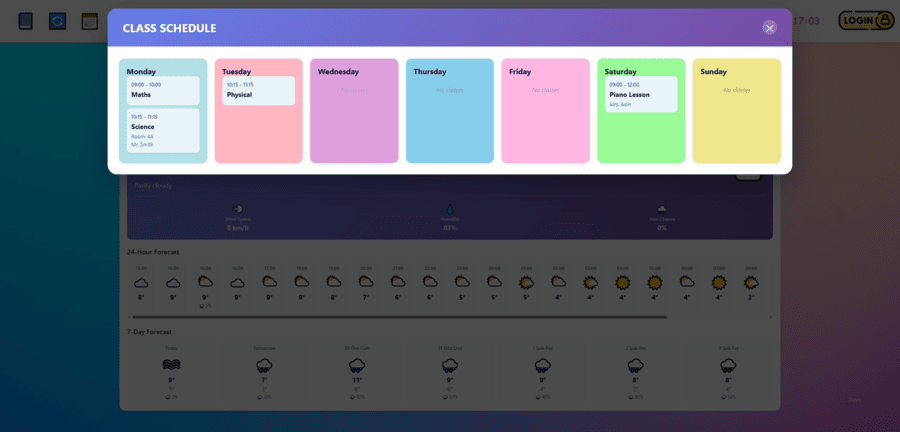
Your children can easily view their complete weekly schedule through a beautiful, kid-friendly pop-up window. This helps them stay organized, know what's coming next, and develop better time management skills. Parents maintain full control while children enjoy independence in viewing their schedules.

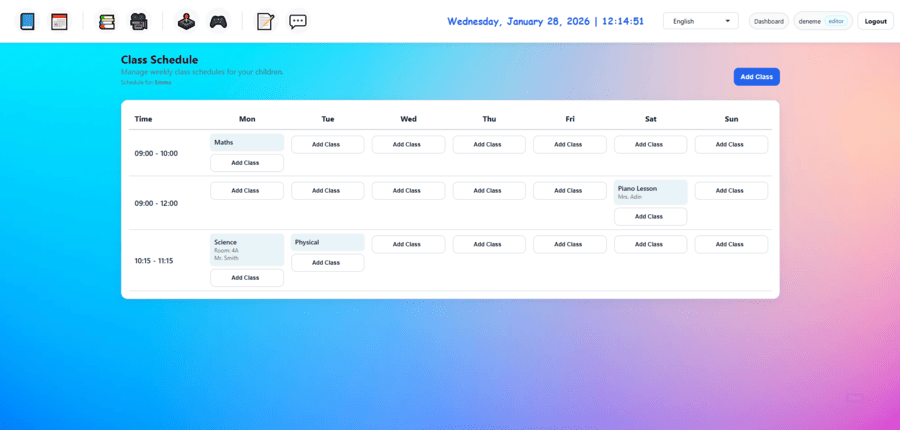
Create and manage weekly class schedules for your children.

Key Features

Everything you need to manage your child's weekly schedule

📚

School Classes

Add all school classes with specific lesson names and times for each day of the week.

🎯

Weekend Courses

Include Saturday and Sunday courses, special classes, or extracurricular activities in your child's schedule.

👨‍👩‍👧‍👦

Multiple Children

Create separate schedules for each child. Manage all schedules from one convenient dashboard.

🎨

Beautiful View

Children can view their schedule in a beautiful, colorful pop-up window designed just for them.

Easy Editing

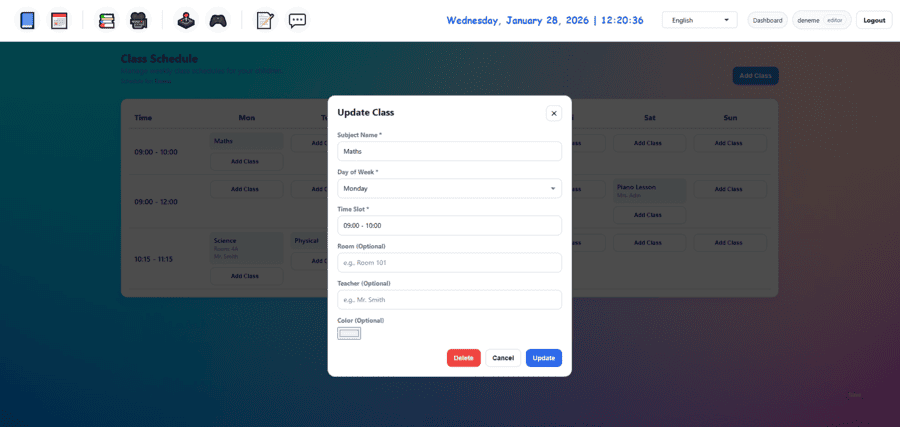
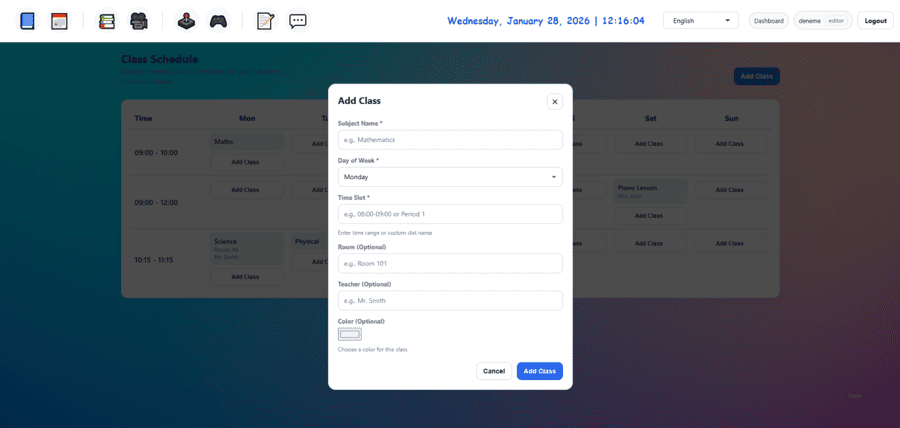
Add, edit, or remove classes with just a few clicks. Update schedules anytime to reflect changes.

Time Management

Help your children develop better time management skills by keeping their schedules organized and visible.

How It Works

Get started in just a few simple steps

1

Select Your Child

Log in to your dashboard and select which child's schedule you want to create or manage.

2

Add Classes

Add school classes with lesson names and times for Monday through Friday. Include weekend courses for Saturday and Sunday if needed.

3

Organize Schedule

Arrange classes by day and time. The system automatically organizes everything into a clear, weekly view.

4

Child Views Schedule

Your child can now view their complete weekly schedule in a beautiful, kid-friendly pop-up window anytime.

Why Should You Use the Class Schedule Feature?

Better Organization

Keep all your child's classes, lessons, and activities organized in one place. No more forgotten classes or confusion about schedules.

Child Independence

Children can check their own schedule anytime through the beautiful pop-up window, promoting independence and responsibility.

Complete Weekly View

See the entire week at a glance, including weekdays and weekends. Perfect for managing both school classes and extracurricular activities.

Easy Updates

Update schedules instantly when classes change. Add new courses, modify times, or remove classes with just a few clicks.
Ready to Get Started?

Join thousands of parents who trust Kids Safe Browser to keep their children safe online.

Get Started Free