Safe Learning Environment for Your Child

With Kids Safe Browser's Education feature, you can add trusted school and learning websites that your child can access safely and easily. No more worrying about inappropriate content, ads, or external links that could distract or harm your child's learning experience.

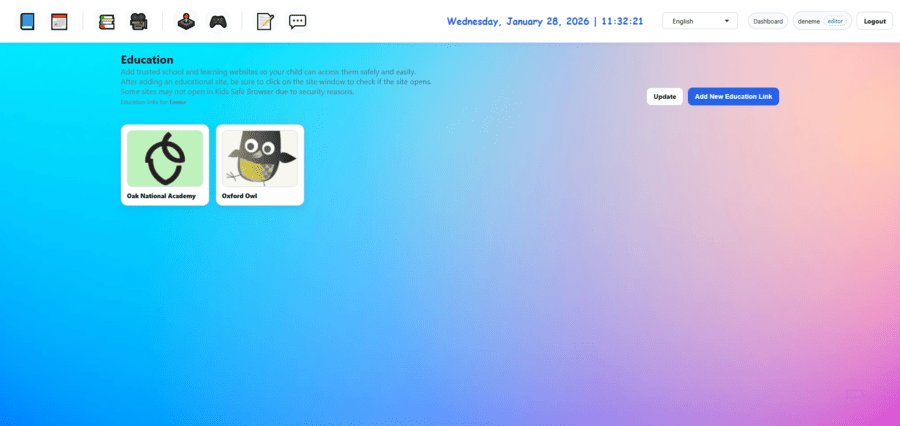
You have complete control over which educational websites your child can visit. Once added, these sites become easily accessible to your child through a simple, kid-friendly interface, while remaining completely isolated from the rest of the internet.

Parental control and safe internet for kids

Key Features

Everything you need to create a safe learning environment

🔒

Secure Access

Only approved educational websites are accessible. No redirects to external links can be made from the accessed sites.

👨‍👩‍👧‍👦

Parental Control

You decide which websites your child can access. Full control, always.

🚫

Ad-Free Learning

No distracting ads or pop-ups. Your child can focus on learning without interruptions. Even if there are ads on the added sites, there’s no chance of clicking them.

Easy to Use

Simple interface designed for kids. One-click access to all approved educational sites.

📖

Wide Variety

Add any educational website - from school portals to learning platforms and educational games.

🛡️

100% Safe

Complete isolation from the rest of the internet. Your child can only access what you approve.

How It Works

Get started in just a few simple steps

1

Add Websites

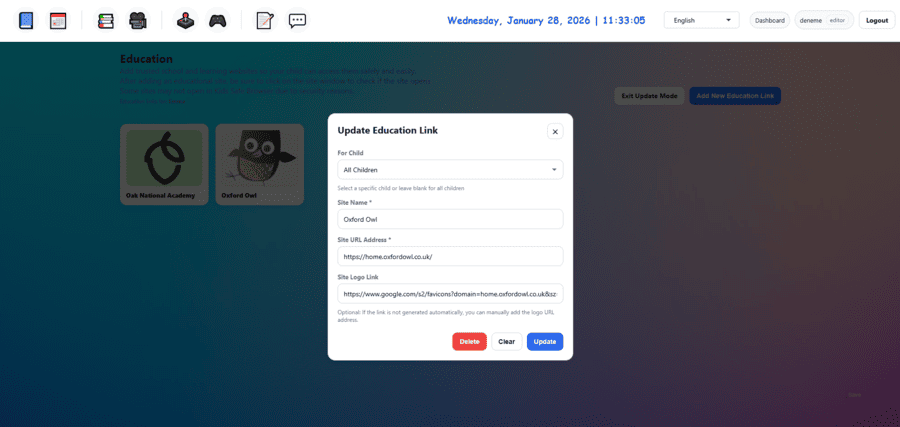
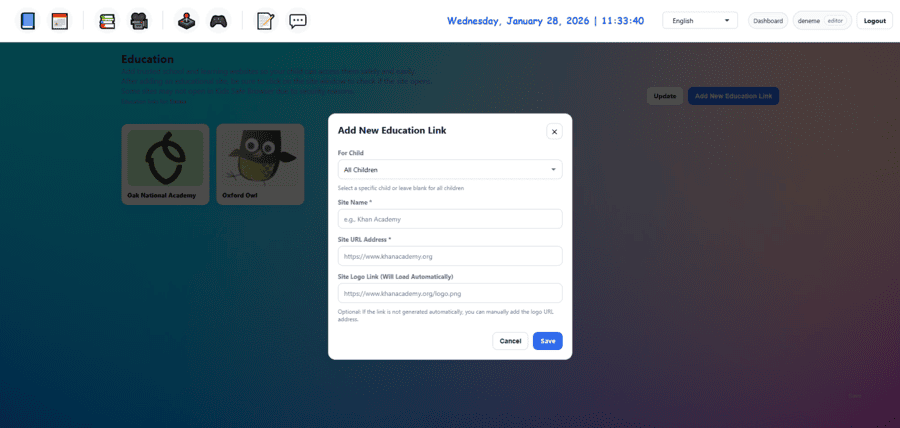
Log in to your dashboard and add trusted educational websites you want your child to access.

2

Organize & Categorize

Organize websites by subject, grade level, or any category that makes sense for your child.

3

Child Access

Your child can now access all approved educational websites through a simple, kid-friendly interface.

4

Monitor & Update

Easily add, remove, or update educational websites anytime from your dashboard.

Why Should You Use the Education Feature?

Focused Learning

No distractions from ads, pop-ups, or unrelated content. Your child stays focused on learning.

Parental Peace of Mind

Know exactly what your child is accessing. Complete transparency and control.

Safe Exploration

Your child can explore approved educational content freely, without risk of accessing inappropriate material.

Easy Management

Add or remove websites with just a few clicks. Keep your child's learning resources up to date.
Ready to Get Started?

Join thousands of parents who trust Kids Safe Browser to keep their children safe online.

Get Started Free